Should You Really Trust Your iPhone With Your Life?
Let’s be honest for a second—your iPhone probably knows more about you than most people do. Your photos, passwords, bank apps, emails, private messages, and even your location history all live there. So it’s only natural to ask the big question: how secure is your iPhone, really?
This question started bothering me after a friend’s phone was compromised—not an iPhone, but still close enough to make me rethink my own habits. I realized that while I assumed my iPhone was secure, I’d never actually looked into why it’s secure or what I could do to make it even safer. If you’ve ever wondered the same thing, you’re in the right place.
Let’s break this down in a simple, no-tech-jargon way—like two friends chatting over coffee ☕.
What Makes the iPhone Secure in the First Place?
Apple didn’t just accidentally make the iPhone secure. Security is baked into the system from the ground up.
Here are the core reasons iPhones are considered secure devices:
- Hardware-level security
- Strong encryption
- Strict app policies
- Regular security updates
All of this works together behind the scenes, often without you even noticing. IMO, that’s what makes it powerful—you don’t have to be a tech expert to benefit from it.
iOS Security: Built From the Ground Up
Secure Enclave Explained (Without the Tech Headache)
One of the biggest security advantages of the iPhone is something called the Secure Enclave. In simple terms, it’s a protected area of the phone’s chip that stores sensitive data like:
- Face ID data
- Touch ID fingerprints
- Passcodes
- Apple Pay information
Even Apple can’t access this data. That’s a huge deal.
If someone steals your phone, they can’t just “extract” this information. It stays locked inside the hardware.
Sandboxing: Apps Stay in Their Lane
Every app on your iPhone runs in its own sandbox. That means:
- Apps can’t access data from other apps
- A malicious app can’t roam freely through your phone
- Damage is contained, not spread
FYI, this is one reason malware is so rare on iPhones.
Encryption: Your Data Is Locked Tight
Encryption is one of those words we hear all the time but rarely think about. On iPhone, it’s doing some serious heavy lifting.
Data-at-Rest Encryption
Anything stored on your iPhone—photos, messages, notes—is encrypted automatically. If someone removes the storage chip, the data is still unreadable without your passcode.
Data-in-Transit Encryption
When you send messages or browse the web:
- Messages are encrypted end-to-end (like iMessage)
- Websites use secure HTTPS connections
- Public Wi-Fi risks are minimized
Bottom line: Your data stays private, even when it’s moving.
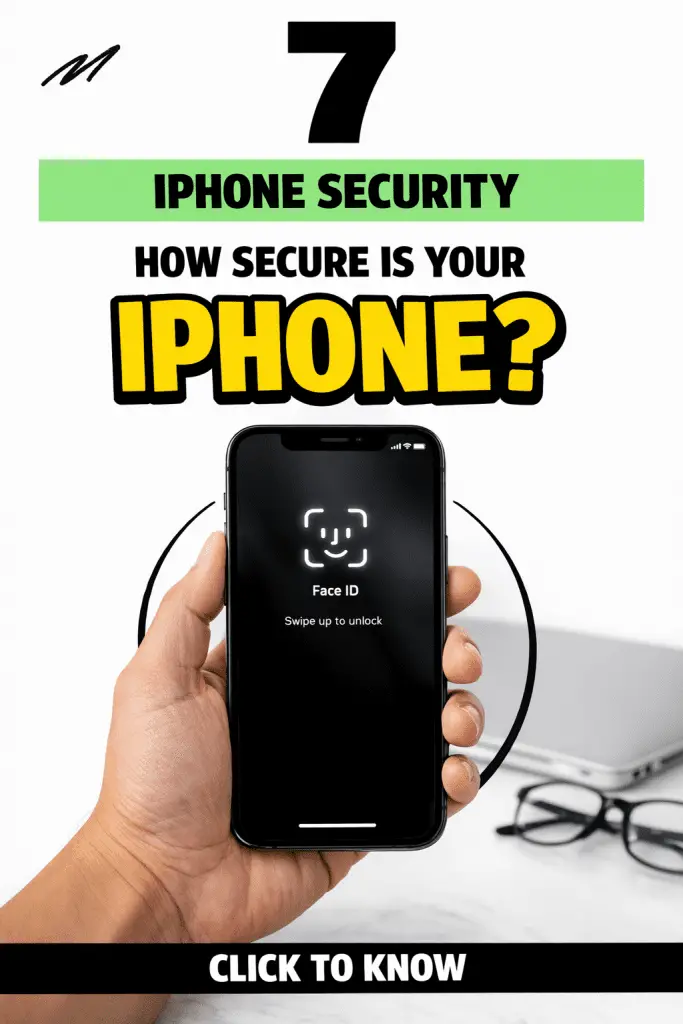
Face ID, Touch ID, and Passcodes: Your First Line of Defense
Biometric security is one of the most visible ways Apple protects your device.
Why Face ID Is Hard to Fool
Face ID uses depth mapping, not just a photo. It analyzes thousands of invisible points on your face. The odds of someone unlocking your phone with a random face are 1 in 1,000,000.
Touch ID isn’t far behind either.
Don’t Sleep on Your Passcode
Here’s where many people weaken their own security.
Strong passcode tips:
- Use a 6-digit or custom alphanumeric passcode
- Avoid birthdates or repeating numbers
- Enable auto-lock
Your iPhone is only as secure as the passcode you choose.
App Store Security: Why iPhone Apps Are Safer
App Review Process
Before any app hits the App Store, it goes through Apple’s review process. Apps are checked for:
- Malicious behavior
- Privacy violations
- Hidden tracking
- Excessive permissions
Is it perfect? No. But it dramatically reduces risk.
Permissions Are in Your Control
Your iPhone asks before apps can access:
- Camera
- Microphone
- Photos
- Location
You can review or revoke these anytime in Settings → Privacy & Security.
Pro tip: If an app doesn’t need your location, don’t give it.
Privacy Features That Actually Matter
Apple markets privacy a lot—but this is one case where the hype mostly matches reality.
App Tracking Transparency
You’ve probably seen those pop-ups asking if an app can track you. That’s Apple forcing apps to ask permission.
Most people say no—and that’s a good thing.
Mail Privacy Protection
This prevents email senders from knowing:
- When you open an email
- Your IP address
- Your location
It’s subtle, but powerful.
Safari’s Built-In Protections
Safari automatically blocks:
- Cross-site trackers
- Malicious websites
- Fingerprinting scripts
You don’t need extra extensions for basic protection.
Can iPhones Get Hacked?
Short answer: yes—but it’s rare.
Long answer: It usually requires one of these situations:
- Weak passcodes
- Outdated iOS versions
- Phishing attacks
- Jailbroken devices
The Real Threat: Social Engineering
Most iPhone “hacks” aren’t technical—they’re psychological.
Examples include:
- Fake Apple emails
- Phony login pages
- Scam text messages
If someone tricks you into giving up information, even the best security can’t help.
Jailbreaking: The Biggest Security Risk
Jailbreaking removes Apple’s built-in restrictions. While it offers customization, it also:
- Disables sandboxing
- Weakens encryption
- Allows unverified apps
- Increases malware risk
IMO, jailbreaking just isn’t worth the tradeoff anymore.
iPhone vs Android: Which Is More Secure?
This question comes up all the time.
Why iPhones Have the Edge
- Faster security updates
- Longer device support
- Strict app policies
- Consistent hardware
Android isn’t “bad,” but its open nature creates more variables—and more risk.
That said, a careless iPhone user can still be less secure than a cautious Android user.
How to Make Your iPhone Even More Secure
Your iPhone is secure by default—but you can level it up.
Essential Security Settings to Enable
- Turn on Automatic iOS Updates
- Enable Find My iPhone
- Use Two-Factor Authentication
- Review App Permissions
- Enable Erase Data After 10 Failed Passcode Attempts
Smart Everyday Habits
- Don’t click unknown links
- Avoid public USB chargers
- Use trusted Wi-Fi networks
- Back up your data regularly
Security is a mix of technology and behavior.
Common Myths About iPhone Security
Let’s clear up a few misconceptions.
- “iPhones can’t be hacked” → False
- “Antivirus apps are necessary” → Usually not
- “Apple spies on everything” → Not really
Apple collects some data, but it’s far more limited compared to most tech companies.
So… How Secure Is Your iPhone Really?
Here’s the honest answer:
Your iPhone is one of the most secure consumer devices available today.
It offers:
- Strong encryption
- Hardware-backed security
- Excellent privacy controls
- Long-term software support
But no device is 100% secure. Your choices still matter.
Final Thoughts: Security Is a Partnership
Think of iPhone security as a partnership between you and the device. Apple handles the heavy lifting—encryption, updates, privacy tools. Your job is to use strong passcodes, stay alert, and avoid risky behavior.
If you haven’t already, take five minutes today to review your security settings. Small changes can make a big difference.
Your iPhone works hard to protect you—make sure you’re doing your part too.
