When Your iPad Suddenly Stops Charging…
You plug in your iPad, wait for that familiar charging sound… and nothing happens. You wiggle the cable. Try another charger. Still nothing. Sound familiar?
Before you panic or assume your iPad is broken, there’s a very good chance your charging port is just dirty.
I’m writing this because I’ve been there myself. My iPad stopped charging out of nowhere, and I was convinced I’d damaged the port. Turns out? A tiny ball of lint was blocking the connection. Five careful minutes later, it was charging like new.
If you’re dealing with the same issue, you’re in the right place. In this guide, I’ll walk you through how to clean an iPad charging port safely, without damaging it, stressing yourself out, or making things worse.
Let’s fix this together.
Why iPad Charging Ports Get Dirty So Easily
Your iPad’s charging port is basically a magnet for dust, lint, and debris. Even if you’re careful, everyday use makes buildup unavoidable.
Here’s why it happens:
- You carry your iPad in bags, backpacks, or sleeves
- Fabric lint slowly collects inside the port
- Dust settles when the port is exposed
- Crumbs or debris sneak in during travel
Over time, this buildup prevents the charging cable from making proper contact. The result? Slow charging, inconsistent charging, or no charging at all.
FYI, this is one of the most common charging issues—and also one of the easiest to fix.
Signs Your iPad Charging Port Needs Cleaning
Before you grab any tools, let’s confirm the problem. Your iPad may need cleaning if you notice:
- The charger feels loose or wobbly
- Charging only works at a certain angle
- Your iPad charges very slowly
- The charging symbol appears and disappears
- The cable won’t plug in fully
If your charger and cable work fine with other devices, the port is the likely culprit.
What NOT to Do When Cleaning an iPad Charging Port
This part is important. A lot of charging ports get damaged because of well-meaning but risky cleaning methods.
Avoid these at all costs:
- Metal objects (paper clips, needles, pins)
- Excessive force when scraping
- Liquids like water or cleaning sprays
- Vacuum cleaners with strong suction
- Compressed air held too close
IMO, most charging port damage happens when people rush or use the wrong tools. Slow and gentle always wins here.
Tools You’ll Need (Safe and Simple)
You don’t need anything fancy. In fact, simpler is safer.
Here’s what works best:
- Wooden toothpick (rounded tip preferred)
- Soft, dry toothbrush
- Flashlight or phone light
- Microfiber cloth
- Can of compressed air (optional, used carefully)
That’s it. No chemicals, no liquids, no sharp objects.
Step-by-Step: How To Clean An iPad Charging Port Safely
Step 1: Power Off Your iPad
Before doing anything, turn off your iPad completely.
This protects the internal components and reduces the risk of short circuits.
Don’t skip this step—even if you’re in a hurry.
Step 2: Inspect the Charging Port
Use a flashlight to look inside the port.
You’re checking for:
- Dust buildup
- Lint clumps
- Visible debris
- Bent pins (don’t touch these)
Seeing what you’re dealing with helps you clean more effectively and carefully.
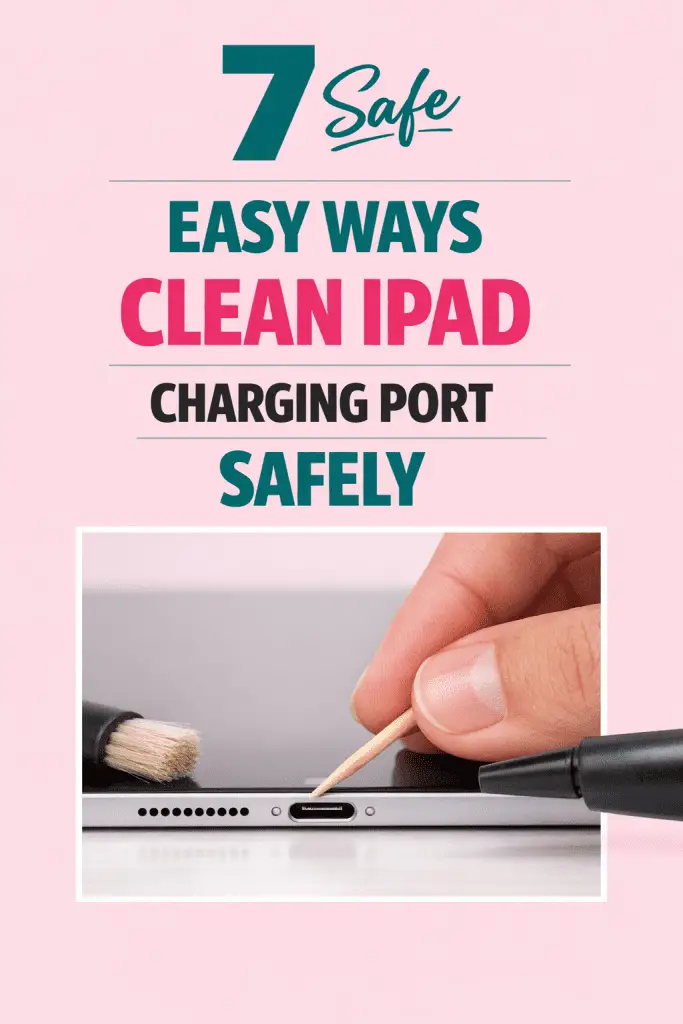
Step 3: Gently Loosen Debris with a Toothpick
This is the most important step.
- Use a wooden toothpick, never metal
- Insert it gently into the port
- Lightly scrape the sides and bottom
- Work slowly and patiently
You’re not digging—you’re lifting debris out.
You may be surprised how much lint comes out. I know I was.
Step 4: Use a Soft Toothbrush for Residue
If dust is still clinging inside:
- Use a dry, soft-bristled toothbrush
- Brush gently in small motions
- Keep pressure light
This helps remove fine particles without touching sensitive connectors.
Step 5: Optional Compressed Air (Use Carefully)
If needed, you can use compressed air—but with caution.
- Hold the can several inches away
- Use short, gentle bursts
- Never insert the nozzle into the port
This step is optional. If debris is already gone, skip it.
Step 6: Final Inspection and Test
Take one last look inside the port.
If it looks clean:
- Turn your iPad back on
- Plug in your charger
- Check for a firm, secure connection
If it starts charging normally, congrats—you just fixed it.
How Often Should You Clean Your iPad Charging Port?
You don’t need to clean it constantly. In fact, over-cleaning can cause wear.
A good rule of thumb:
- Every 2–3 months for regular users
- More often if you travel frequently or carry it in pockets/bags
- Whenever charging issues appear
Think of it as light maintenance, not a daily chore.
Extra Tips to Keep Your Charging Port Clean
Prevention goes a long way.
Try these habits:
- Use a protective case with port cover
- Keep your iPad in a clean sleeve
- Avoid charging in dusty environments
- Don’t charge your iPad on fabric surfaces
- Store charging cables properly
Small habits = fewer problems later.
What If Cleaning Doesn’t Fix the Problem?
If your iPad still won’t charge after cleaning, don’t panic. There are a few other possibilities.
Check These Next:
- Try a different charging cable
- Test a different power adapter
- Use another power outlet
- Restart your iPad
If none of that works, the issue may be:
- A worn-out charging cable
- A damaged adapter
- Internal port damage
At that point, it’s best to contact Apple Support or visit a certified repair center.
Is It Safe to Clean an iPad Charging Port at Home?
Yes—as long as you’re gentle and use the right tools.
Apple doesn’t recommend liquids or metal tools, but dry, careful cleaning is generally safe for light debris. Thousands of users fix charging issues this way every day.
The key is patience. Rushing increases the risk.
Common Questions People Ask (Quick Answers)
Can I use alcohol to clean the charging port?
No. Liquids can damage internal components.
Can I use a needle if I’m careful?
Still no. One slip can permanently damage the port.
Will cleaning void my warranty?
Basic cleaning won’t, but damage caused by improper tools might.
Why does lint build up so fast?
Fabric fibers compress over time, making buildup seem sudden.
Final Thoughts: A Small Fix That Makes a Big Difference
A dirty charging port can feel like a major problem—but most of the time, it’s a simple, fixable issue.
By following these steps, you now know how to clean an iPad charging port safely without risking damage or stress. Just remember: be gentle, use the right tools, and take your time.
If your iPad starts charging smoothly again, that little victory feels great—trust me. And if this guide helped you, keep it bookmarked. You never know when you’ll need it again.
