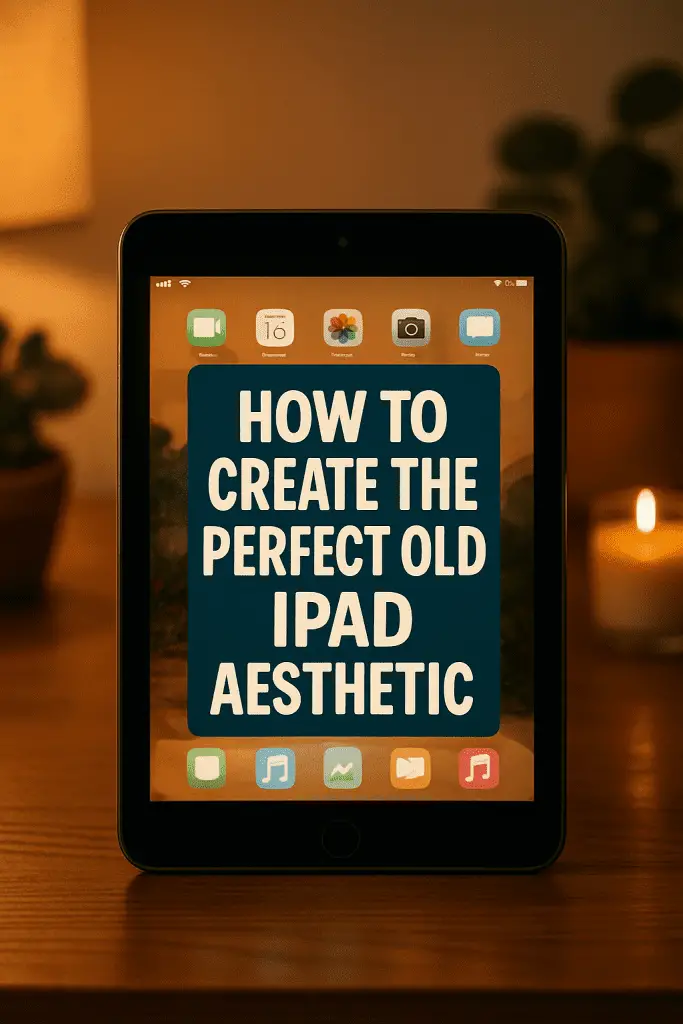
Have you ever looked at your old iPad sitting in a drawer collecting dust and thought, “There has to be a cooler way to use this”? Same here. Once my daily driver, my aging iPad wasn’t cutting it for heavy apps anymore. But tossing it? Nah — that felt criminal. Instead, I discovered something surprisingly fun… turning it into a stylish centerpiece for my setup.
Think about it: we live in a world obsessed with aesthetic desk spaces, cozy setups, and productivity corners. Yet most people overlook one of the best decor-meets-function items they already own — their “obsolete” tablet. So if you’re ready to learn how to transform that forgotten device into a vibe-boosting, visually stunning addition to your workspace, stick around. I’ll walk you through practical, budget-friendly ways to build your perfect old iPad aesthetic — and trust me, you’ll never see it the same way again.
Why an Old iPad Is a Secret Setup Weapon
Let’s start with the big question: why bother styling an old device?
Well, for starters:
- It’s already paid for, so its aesthetic value is basically free.
- It still runs enough apps to be useful.
- It fills what designers call “visual and functional space.”
Plus, creating an aesthetic setup isn’t just about looking cool — it affects motivation, workflow, and creativity. When your space feels intentional, it becomes easier to focus. So repurposing your old iPad isn’t just décor; it’s strategy.
And IMO, that’s a win-win.
Step One: Choose Your Aesthetic Theme
Every great setup starts with a vibe. So ask yourself — what mood do you want your space to evoke?
Here are a few popular aesthetics your old iPad can complement beautifully:
Minimalist Workspace
Think clean lines, monochrome tones, and intentional emptiness.
- Neutral wallpaper
- Slim case or no case
- App icons removed from home screen
Perfect if you value clarity and calmness.
Retro-Vintage Apple Nostalgia
Bring back memories of early tech charm.
- Old OS-styled icons
- Retro screensavers
- Vintage productivity dashboard
Great if you’re a long-time Apple lover who gets excited by skeuomorphic icons and classic iOS designs.
Cozy Study Corner
Soft fonts, warm lighting, paper textures.
- Journaling apps on display
- Weather clocks
- Playlist dashboards
Ideal for students, writers, or anyone who thrives in warmth and comfort.
Futuristic Tech Hub
RGB edge-lighting vibes.
- Animated wallpapers
- Smart home widgets
- Always-on informational dashboard
Works well if you want your desk to scream digital command center.
Once you pick a theme, you’ll base wallpapers, stands, widgets, lighting, and apps around it. This theme choice is the foundation — so give it a moment.
Step Two: Give It a Physical Glow-Up

Even an old device can look premium with the right accessories.
Get a Stand That Matches Your Style
This is the quickest way to elevate the aesthetic — literally and visually.
Look for:
- Metal stands for Apple-Store vibes
- Wood stands for warm, cozy setups
- Clear acrylic stands for minimal or futuristic desks
- Magnetic mounts if wall-mounted looks are your thing
A stand instantly transforms your iPad from “old gadget” to desktop display element.
Add Ambient Lighting
Lighting shifts a setup’s mood more than most people realize.
Try:
- LED desk strips behind the stand
- Warm bedside lamps positioned diagonally
- Smart bulbs that change temperature with time
Your old iPad becomes part of a light-story rather than an isolated device.
Consider Protective Aesthetic Cases
Function meets style here. Choose a case that aligns with your theme:
- Leather folio for classy vibes
- Matte black for modern minimalism
- Pastel silicone for soft study aesthetics
- Clear case if you want to show the Apple logo
These accessories don’t just look good — they give the device new identity.
Step Three: Aesthetic Wallpapers Are Everything
Wallpapers are like clothing on the device — they set the mood instantly.
Here are types that work perfectly for an old iPad setup:
Dashboard Wallpapers
Useful + aesthetic.
Examples:
- Digital planner templates
- Productivity clocks
- Weather and habit summary screens
Textured Minimal Backgrounds
Great for reducing screen clutter.
Think:
- Linen paper
- Gradient fog
- Soft beige canvas
- Subtle grain patterns
Artistic Retro During Boot Screens
They scream tech nostalgia.
You can even design one yourself in Canva — no skills required.
Animated or Live Wallpapers (If Your iPad Supports Them)
This adds movement to your desk aesthetic without needing interaction.
Whatever you choose, make sure it matches your theme and stand positioning — horizontal or vertical orientation matters visually.
Step Four: Make the Home Screen Look Intentional
This is where styling meets function.
Remove Cluttered Icons
Nobody likes a mess — especially as décor. So hide what you don’t need.
Create Widget-Based Layouts
Widgets transform the iPad into:
- A clock display
- A quote board
- A weather center
- A music now-playing visualizer
- A calendar dashboard
Widgets give your old iPad new purpose and better face value — literally.
Use Aesthetic App Icons (If Supported)
Apps like Moloko, Themify, or custom packs in Etsy help redesign icons to match themes.
This is where your setup gains character.
Step Five: Decide Its Role in Your Space
To truly earn its spot in your setup, the old iPad needs identity.
Here are aesthetic + useful roles it can serve:
Smart Desk Clock
Use apps like:
- Flip clock displays
- Minimal time dashboards
- Split-screen weather/time combos
Simple but visually powerful.
Music Control Station
Apps to use:
- Spotify widget
- Apple Music dashboard
- Radio apps with retro skins
Who knew your dusty device could run the vibes?
Mood Board Frame
Pinterest + slideshow wallpaper mode = instant décor.
You can even loop:
- Photos
- Quotes
- Inspo art
- Workspace themes
Digital Notepad / Calendar Board
Perfect for goals, habit tracking, or weekly planning.
Second Screen for Productivity
Sidecar, Duet, or spaced screen apps can extend displays if supported.
Suddenly that old iPad becomes… multitasking magic.
Step Six: Styling Around the iPad
Here’s where aesthetic setups really shine — accessorizing around it.
Try These Complementing Décor Pieces:
- Ceramic pen holder
- Small fake plant or succulent
- Acrylic calendar block
- Wooden coaster with mug
- Desk mat matching iPad tone
This creates visual balance and makes the iPad feel “placed” intentionally — not randomly.
Add Micro-Lighting
Mini USB lamps or warm fairy lights behind the stand work wonders.
Symmetry Matters
Place the iPad slightly off-center or angle it toward your chair to create design balance.
Your desk suddenly becomes Pinterest-worthy.
Step Seven: Apps and Functions That Boost Aesthetic Value
Let’s talk app strategy — because the right apps do double duty: utility and vibe.
Apps That Look Beautiful on Display:
- Flip clock apps
- Weather dashboards
- Minimal planners
- Pomodoro timers
- Photo slideshow apps
- Daily quotes widgets
Apps That Give Purpose Behind The Pretty:
- Notes apps for instant jotting
- Calendar reminders
- Smart home controls
- Trello boards
- Spotify/Apple Music remote
- HomeKit control dashboard
Together, these apps turn your old iPad into aesthetic decor with hidden productivity power.
Step Eight: Keep It Polished
Nothing ruins an aesthetic faster than smudgy fingerprints or tangled cables.
Maintenance Tips:
- Clean screen weekly
- Shut unused notifications
- Use minimal charging cable loops
- Wipe stand dust regularly
And FYI — a clean screen + matching wallpaper = chef’s kiss.
Step Nine: Power Options for Always-On Display
Your old iPad can be the star of your space — but it needs power without clutter.
Smart Power Ideas:
- Right-angle charging cables
- Wireless charging stands (for supported models)
- Short 30cm cables for minimal visibility
- USB hub hidden behind desk
If all else fails, run it unplugged while you’re working — most older batteries still last hours.
Step Ten: Capture Your Aesthetic
If you’ve gone through the effort — show it off!
Take photos with:
- Natural lighting
- Portrait mode
- Overhead angles
Then share them with friends or social media. Who knows — you may even inspire someone else to resurrect their forgotten tablet 😉
Final Thoughts: Your Old iPad Isn’t Useless — It’s Untapped
We often rush to replace gadgets when they slow down, but rarely stop to ask:
Could this still add value emotionally or visually?
Turns out, the answer is yes.
By choosing a theme, styling intentionally, using clever accessories, and giving your old iPad a role within your workspace, you create something stylish and meaningful without spending big.
So before you toss it, try turning it into:
- A digital clock
- A mood board
- A music hub
- A planner station
- A mini command center
You’ll be surprised how much personality a repurposed device adds — and how satisfying it feels to breathe new life into old tech.
Now it’s your turn! Look at your space, dust off that forgotten tablet, and start experimenting. Play with themes, swap wallpapers, tweak stands — and enjoy the creative process. Your new favorite desk element might already be sitting in your drawer 😊
